The app question everyone gets wrong
Most players searching for a Chicken Road 2 app assume they need to download something from the Play Store or App Store. That's the first mistake. Crash games like this one rarely exist as standalone apps — they run inside licensed casino platforms, either in your mobile browser or through the operator's own app.
Here's what actually happens: you register with a UKGC-licensed operator, verify your age and identity, deposit using a debit card or PayPal (credit cards have been banned for gambling since 2020), then launch Chicken Road 2 from the game lobby. No separate download, no APK hunt, no risk of a dodgy clone stealing your details. This page walks through every legitimate install path, what each one does, and how to spot the fakes.
What you're actually installing
Chicken Road 2 doesn't ship as a solo app. It's an HTML5 game embedded in casino sites that hold UKGC remote licences. When you «install» it, you're either bookmarking the browser version, adding the operator's web app to your home screen, downloading the operator's native app, or — if you're tempted by an APK from a forum — downloading something that probably isn't licensed and might not even be the real game.
Here's the store-style card if Chicken Road 2 were a standalone product. These numbers reflect the typical footprint of a browser-based crash game wrapped in a progressive web app:
The «developer» field shows the casino operator's name, not the game studio's, because you're downloading the operator's platform. The game itself updates server-side; your cached version just pulls the latest graphics and rules when you launch it.
Four ways to get it on your phone
Each path has a different setup time, different risk level, and a different level of integration with your device. Here's every option, step by step:
- Browser play (instant, zero install). Open Safari or Chrome, navigate to the licensed operator's site, log in, tap the game tile in the lobby. The game loads in the browser tab. No download, no home screen icon, no storage used beyond cached files that clear when you close the tab. Risk: none, as long as the site shows a valid UKGC licence number in the footer and appears in the UKGC public register. If the domain looks dodgy or the licence number is missing, close the tab.
- Add to home screen (30 seconds, PWA). While playing in the browser, tap the Share icon (iOS) or the three-dot menu (Android), then choose «Add to Home Screen». The game icon appears alongside your other apps. Tapping it opens the game in a standalone window without the browser's address bar. The operator's site is still hosting everything; this shortcut just streamlines access. Risk: minimal, provided you added the shortcut from a licensed site. Check the URL before you add it.
- Operator's native app (2–5 minutes, Play Store or App Store). Some UKGC-licensed casinos publish their own apps. Search the operator's name in the Play Store or App Store (not «Chicken Road 2» alone, because the game won't have a standalone listing). Download the operator's app, register or log in, then find Chicken Road 2 in the game lobby. The app wraps the same browser-based game in a native shell, sometimes with faster load times and push notifications for bonuses. Risk: low if you download from the official store and verify the developer name matches the licensed operator. Fake clones sometimes mimic popular casino brands; cross-check the UKGC register.
- APK sideload (10 minutes, high risk). An APK file installs an Android app outside the Play Store. You enable «Install from unknown sources» in your phone's settings, download the APK from a forum or file-sharing site, tap the file, and grant permissions. This path is how unlicensed clones spread. The APK might be a repackaged copy of the real game that siphons your login to a phishing server, or it might be a completely fake game that takes your deposit and vanishes. Even if the APK is legitimate, any operator distributing it this way is probably unlicensed in the UK. Risk: very high. The UKGC forbids unlicensed operators from serving British players, and unlicensed sites don't segregate funds, don't protect you under the code of practice, and don't connect to GAMSTOP. Avoid APK installs unless the operator explicitly offers it on their licensed site and you've confirmed their UKGC register entry.
What the screens show
Chicken Road 2's mobile interface condenses the desktop layout into three main screens, plus overlays for settings and history:
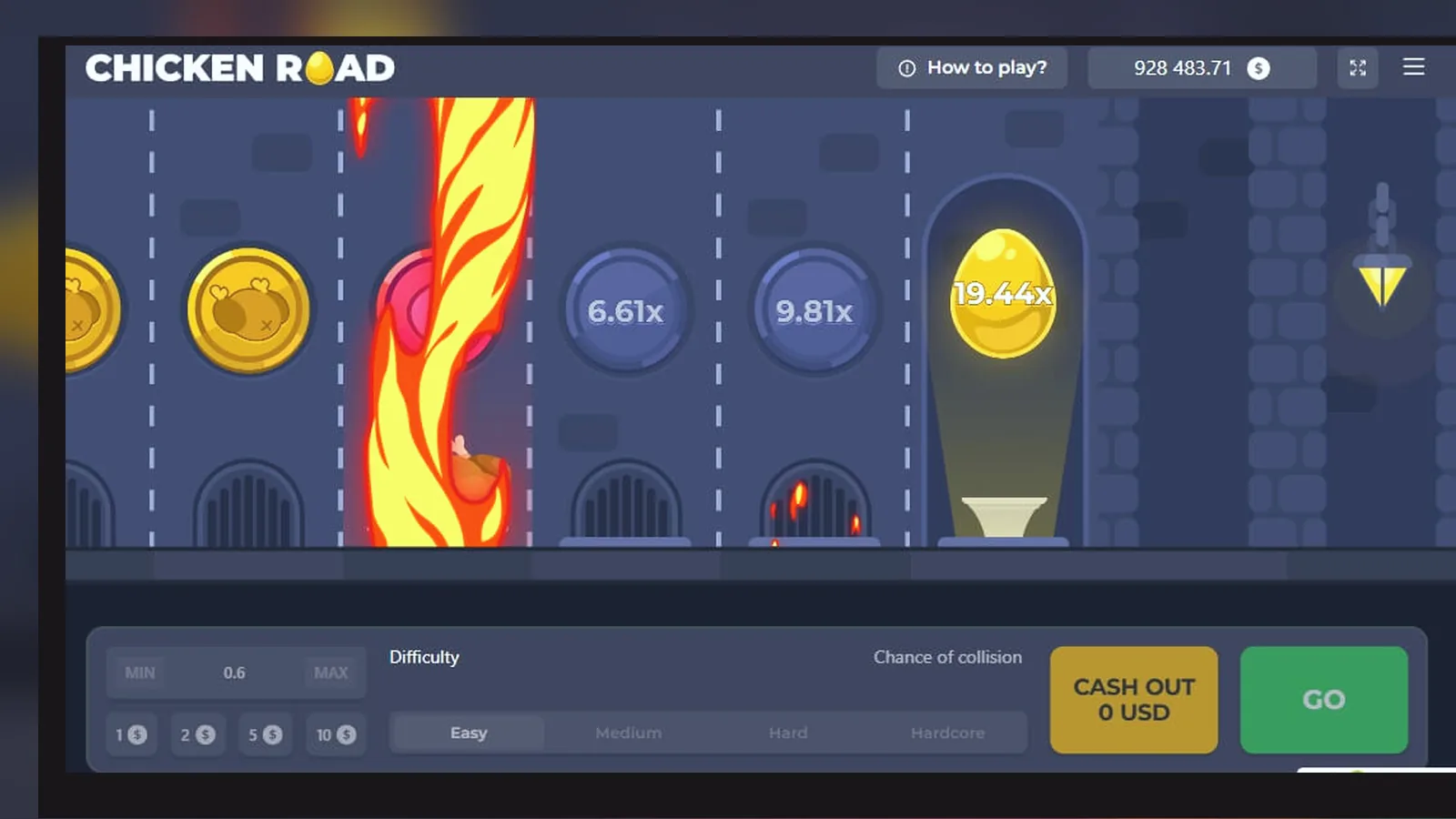
- Game board. The chicken sprite walks across a grid of tiles, each tile flipping to reveal a multiplier or a landmine. Your current bet sits at the bottom left, the cashout multiplier updates in real time at the top, and a green «Cashout» button pulses in the bottom right. Tapping Cashout locks your win; if the chicken hits a mine before you tap, the round ends and the bet is lost. The grid animates tile by tile, so you watch the multiplier climb as the path lengthens.
- Bet panel. Swipe up from the bottom or tap the chip icon to open the bet controls. You'll see a stake slider (minimum £0.10, maximum £5.00 per round under the UKGC stake cap, or £2.00 if you're 18–24 years old), an autoplay toggle, and a mines-per-grid selector if the game offers variable difficulty. The panel also holds quick-bet buttons for common stakes like £1.00, £2.00, and £5.00, and a balance display showing your casino wallet total.
- History and stats. Tap the clock icon to see your last 20 rounds: bet amount, number of safe tiles revealed, final multiplier, and win or loss. Some versions include a live leaderboard showing the highest cashouts from the current session across all players on that operator's platform. This screen is read-only; you can't replay or alter past rounds, because every round's outcome is determined server-side by the RNG.
- Settings overlay. Gear icon in the top right. Toggle sound effects, animation speed (fast mode skips tile-flip delays, useful for autoplay), and display options like showing other players' bets in real time. You can also check the game's RTP and volatility figures here, plus a link to the paytable that explains the multiplier progression.
- Cashier shortcut. A floating "£" button links directly to the operator's deposit and withdrawal screens. Tapping it pauses the game and opens the cashier in a new layer. Deposits via debit card, PayPal, or Open Banking are instant; withdrawals to e-wallets take a few hours, Faster Payments to your bank take same day to two working days, and the first withdrawal requires document checks (24–48 hours is normal).
All five screens share the same responsive layout engine, so rotating your phone from portrait to landscape rearranges the controls but doesn't reload the game or interrupt a live round.
Phone requirements and what eats your battery
Chicken Road 2 is an HTML5 game, so it runs on any smartphone made in the last five years with a modern browser. Minimum spec: iOS 13 or Android 8, 2 GB of RAM, and a stable 4G or Wi-Fi connection. The game doesn't install native code, so there's no CPU or GPU requirement beyond what your browser already needs.
Storage: the cached web app sits around 15 MB in your browser's local storage, covering graphics, sound files, and the UI framework. If you add the PWA shortcut to your home screen, iOS or Android reserves another few megabytes for the icon and splash screen. Operator native apps range from 40 MB to 80 MB because they bundle the entire casino lobby, not just Chicken Road 2.
Battery drain comes from three sources: the animated game board (constantly redrawing the grid and the chicken sprite), the live multiplier counter (updating every few milliseconds during a round), and the network connection (the game pings the server every second to sync your bet state and check for disconnections). An hour of continuous play will cost you about 15–20% battery on a modern phone, more if you're on 4G instead of Wi-Fi or if you have the screen brightness maxed. Autoplay mode uses slightly less because it skips the manual cashout interaction, but the animation and network sync still run.
Version history and what changed
Because Chicken Road 2 updates server-side, there's no «new version» prompt on your phone. The operator pushes changes to the game logic and you see them the next time you launch. The version number in the settings screen (currently 2.1.4 for most operators) refers to the client-side UI build, not the RNG or payout rules.
Recent changes worth knowing about:
- Version 2.1.4 (October 2026): added quick-stake buttons to the bet panel so you don't have to drag the slider for common amounts like £1.00 and £5.00. Also improved the reconnection flow — if your connection drops mid-round, the game now shows a «Reconnecting» overlay instead of immediately settling the round as a loss. When you reconnect, the round resumes from the last confirmed tile, and your cashout button stays active if you hadn't hit a mine yet.
- Version 2.1.2 (August 2026): introduced the fast-play toggle, which skips tile-flip animations and shows the full path instantly when you cashout or hit a mine. Cuts each round from ~10 seconds to ~2 seconds, useful for autoplay but easy to burn through your balance if you're not watching the stake.
- Version 2.0.0 (April 2026): rebuilt the mobile UI with larger touch targets and a vertical layout that works one-handed. The old version required two hands because the cashout button sat in the top right; the new version anchors it bottom right, thumb-friendly. Also added real-time affordability warnings: if you've deposited over £150 net in the current calendar month, the game shows a banner reminding you that the operator may request bank statements or payslips under the UKGC's affordability rules.
Changes to the RTP, volatility, or multiplier table happen less often and require the operator to refile the game's certification with the testing lab. Those changes get announced on the operator's site, not pushed silently.
Spotting fakes and risky permissions
Fake clones fall into three categories: phishing sites that steal your login, unlicensed casinos that take your deposit and refuse withdrawals, and trojanised APKs that install malware. Here's how to filter them out before you hand over any details:
| Red flag | What it means | What to do |
|---|---|---|
| No UKGC licence number in the footer | The site is unlicensed and illegal to serve UK players; no regulatory protection if something goes wrong | Close the tab immediately; search the operator's name in the UKGC public register to confirm it doesn't hold a remote licence |
| APK download link on a forum or file-sharing site | Legitimate UK operators distribute through the Play Store, App Store, or their own licensed domain; APK sideloads bypass Google's malware checks | Ignore the link; install the operator's app from the official store or play in the browser |
| App requests contacts, SMS, or call logs | Chicken Road 2 needs none of those permissions; if the app asks, it's harvesting data for something else | Deny the permissions and uninstall the app; report it in the Play Store |
| Site offers a welcome bonus over £100 with no wager or a 1× wager | Unrealistic; UK welcome bonuses typically run 20×–40× wager, and the UKGC scrutinises offers that look too good to be true | Treat it as bait for an unlicensed operation; check the domain's age (under six months is a warning sign) and search for reviews |
| Domain ends in .com or .net instead of .uk or .co.uk | Not automatically a fake, but less common for operators targeting British players; many unlicensed sites use generic TLDs to avoid jurisdiction-specific restrictions | Cross-check the UKGC register; if the operator holds a licence, the TLD doesn't matter, but if it's not listed, walk away |
Safe permissions for a casino app or PWA: storage (for caching game assets), notifications (for bonus alerts), and camera (for uploading ID documents during KYC). Anything beyond that — location tracking, microphone, phone state, installed apps — is overreach. Deny those permissions or don't install the app.
FAQ
Can I play Chicken Road 2 in demo mode without registering?
Many UKGC-licensed sites offer demo play, but most require you to log in and pass age verification before you can access it. Free play is still age-gated because the UKGC treats any simulated gambling activity as advertising, and advertising rules prohibit exposure to under-18s. A few operators show demo mode to visitors before registration, but that's becoming rare. Expect to create an account, verify your age with ID, then toggle between real-money and demo modes from the game lobby.
Why does the app ask for my bank statements or payslips?
Affordability checks. UKGC rules require operators to assess whether you can afford your gambling activity once you cross certain deposit thresholds. The first check triggers at £150 net deposits in a calendar month (deposits minus withdrawals) and uses soft credit-reference data — no documents yet. If you keep depositing, the operator escalates to requesting bank statements, payslips, or tax returns to verify your income and expenditure. This isn't optional; operators face sanctions if they don't perform these checks. If you'd rather not share documents, keep your deposits under the threshold or self-exclude via GAMSTOP.
What happens if my connection drops mid-round?
The game server holds your bet state, so if your Wi-Fi cuts out or your phone loses signal, the round continues on the server side. When you reconnect, the game checks whether the round finished while you were offline. If the chicken hit a mine, the loss is already settled. If you cashed out automatically (some versions have a «disconnect cashout» rule that locks your win at the last confirmed multiplier), you'll see the payout in your balance. If the round was still live, you'll resume where you left off with the cashout button active. The reconnection flow improved in version 2.1.4, but older builds sometimes settled disconnected rounds as losses by default. Check the game rules on your operator's site to see which policy applies.
Can I use a VPN to access Chicken Road 2 if I'm travelling outside the UK?
UKGC-licensed operators generally block VPN traffic because they're required to verify your location before allowing real-money play. If the site detects a VPN, it'll either lock your account until you disable it or refuse to load the game. Some operators allow you to play from specific countries if they also hold a licence there (Malta, Gibraltar, others), but you'd need to contact support and confirm your travel. Using a VPN to fake a UK location from a restricted country is a terms-of-service breach; the operator can void your bets and freeze your balance if they catch it. The safer move: wait until you're back in the UK, or check whether the operator accepts players from your travel destination without needing a VPN.